
The Setup Python App feature allows you to deploy Python applications on your cPanel while running the LiteSpeed web server.
You can check the functionality by visiting the cPanel >> Setup Python App.

On the next page, you will be able to Create Application and check existing Web applications.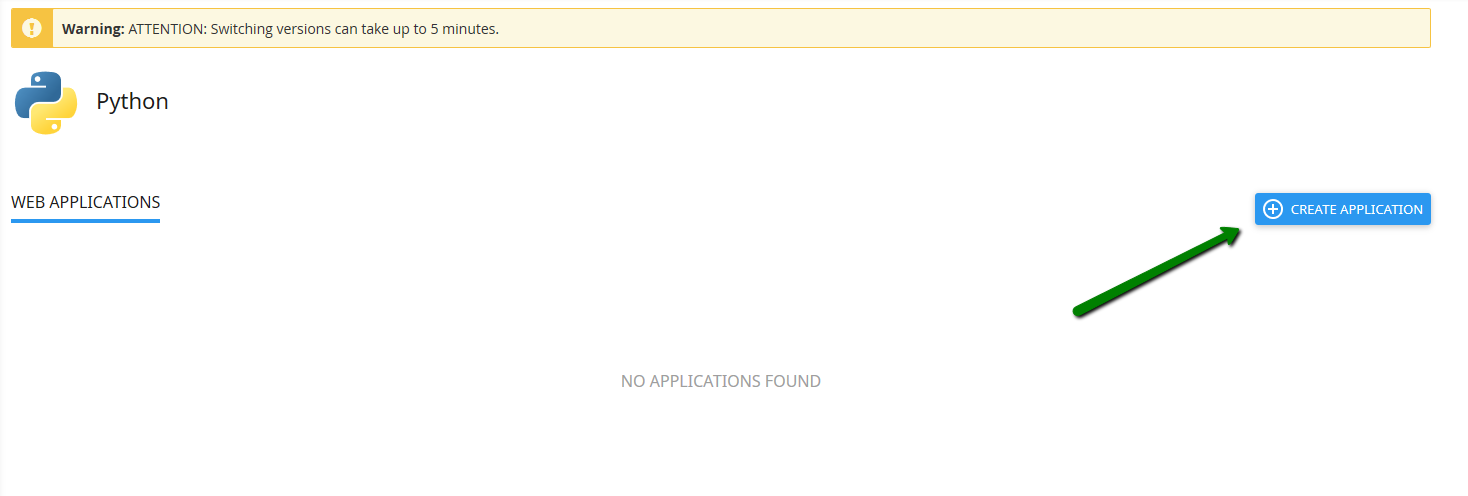
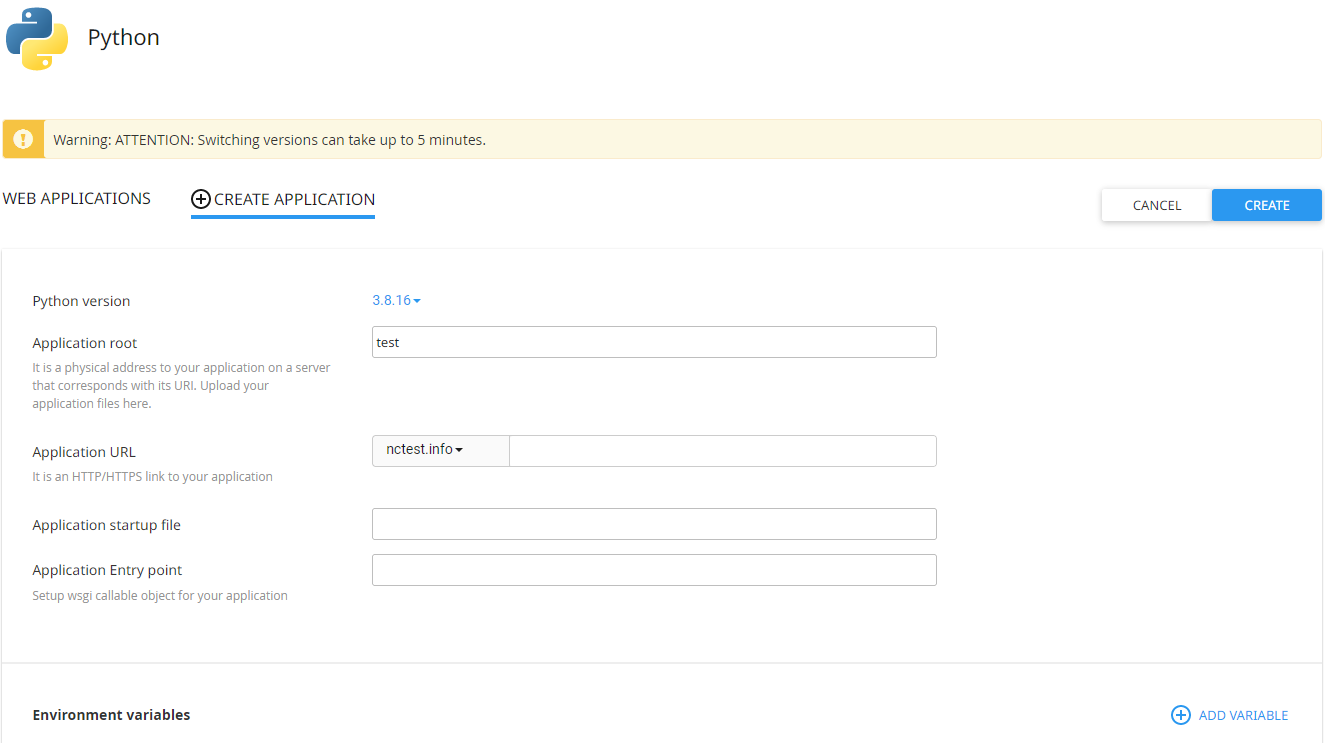
If you wish to create a new Python application, you must specify the Python version, fill in the Application root, and the Application URL. Then click Create.
NOTE: ASGI Python applications are not supported on our Shared hosting plans and can be set up only on VPS or Dedicated Servers. Therefore, if you would like to run such an application, it's needed to upgrade your Shared hosting package. Feel free to follow the steps from this guide to do it.
Optionally, you can also set up Application startup file and Application Entry.
As soon as the environment is set, you can upload your application files to the application root directory.
When the application is created, you will be able to see the next page: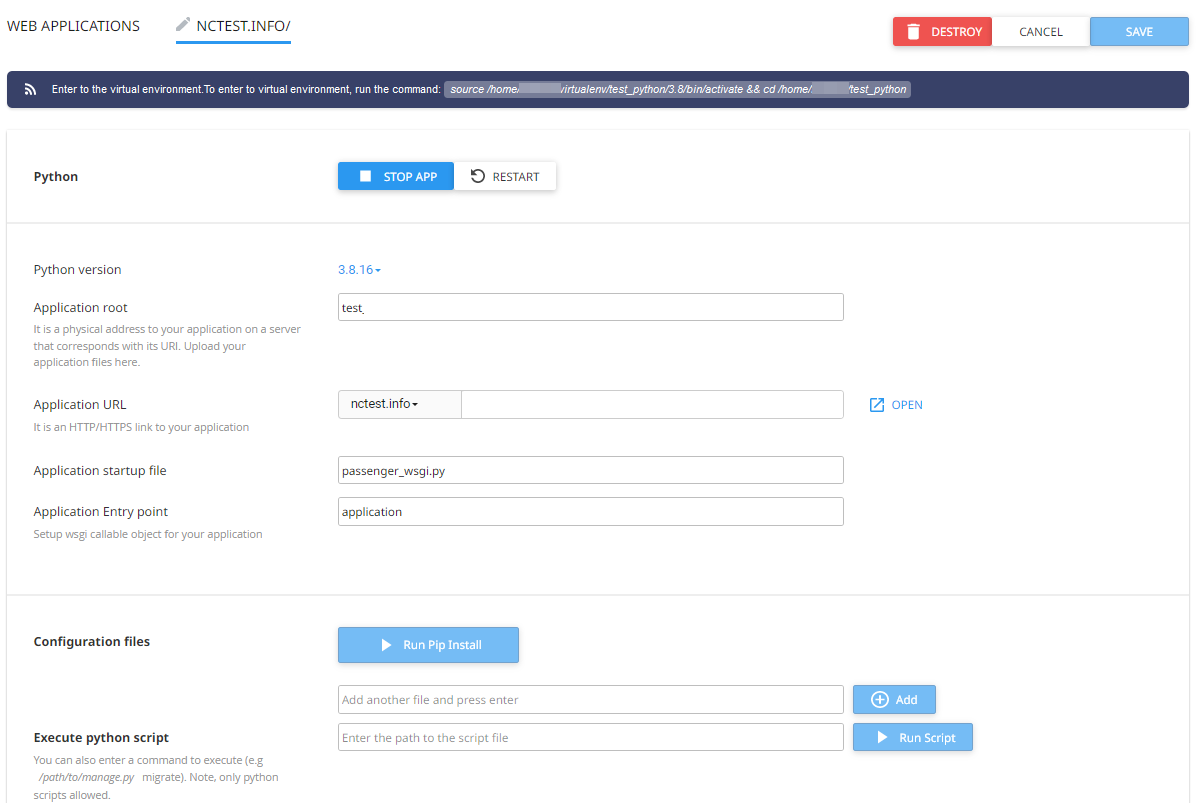
NOTE: To be able to do this, you need to enable Shell access as in this guide.
You can change options like Python version, Application root, Application URL, Application startup file, and Application Entry point here.
After changing such options, please make sure to click the Save button on the upper right.
The Python versions available are 2.7 and 3.3, 3.4, 3.5, 3.6, 3.7, 3.8 and 3.9.
PLEASE NOTE: Python version switch can take up to 5 minutes.
The Application startup file is to specify the Python WSGI application entry point. It must be specified as a filename.
Application Entry point is there to set up a WSGI callable object for the previously specified startup file.
With the help of the Configuration files field you can install various modules through Pip. Under the Add another file… field you can enter the name of the given module and click Add.
NOTE: Make sure to have the requirements file uploaded for your module(s). They should be located within the application root folder that would contain a list of packages that have to be installed. For our example it is /home/cPanel_user/test/flask.
Once you have added the module, you can click Run Pip Install and install the module in question from the drop-down.
NOTE: You can also execute pip install commands directly under the virtual environment via SSH.
Also, you can execute python script commands from the web interface (e.g. you can install packages from specific repositories or control web applications by means of django-admin).


Click Add Variable and you will be able to set up Name and Value of the variable in question. After you have entered the correct data, click Done to create the variable.
NOTE: Changes will not be applied to the application environment until the Update button is clicked. All changes can be reverted by clicking the Reset button.
To delete the application, click Destroy. The application folder itself will remain unmoved.
In some cases, apps may not run properly when the main application variable is called app. This is because WSGI software that we use to run Python on our servers requires the main application variable to be called application.
The first step of investigating the issue would be enabling error description and traceback on the website. It can be done via the .htaccess file by adding the following directive: PassengerFriendlyErrorPages on
NOTE: Once you edit .htaccess, the application needs to be restarted. Otherwise, the site will start displaying Internal Server Error.
We will use the Flask application as an example here to make the application work:
1. Install Flask and all the other modules required for the app. It can be done in many ways:
- Install modules manually one by one over SSH
- Install all the modules at a time with a requirements.txt file.
- Install all the modules with a setup.py file via SSH, if it is created for the application. The usage of this option depends on the app in question.
3. Find the main script of the application in the application root folder. Search for the following line to find it:
from app import app
(it can be from src import app or from app import application, however from app import app is the most common way to write it). The main script is usually called app.py, main.py, index.py, or init.py.
4. Rename this script to passenger_wsgi.py or set it in the Application startup file field within the Python App interface in cPanel.
5. Right below the import line (from app import app), insert this line:
application = app
